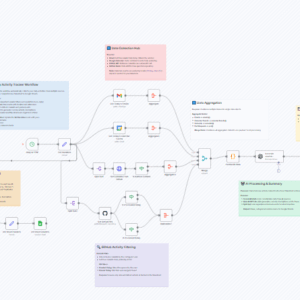

This n8n workflow automates the process of saving web articles or links shared in a chat conversation directly into a Notion database, using Google’s Gemini AI and Browserless for web scraping.
It’s useful for anyone wanting to reduce manual copy-pasting and organize web findings seamlessly within Notion. A smarter web clipping tool!
Name (Type: Text) – This will store the article title.URL (Type: URL) – This will store the original article link.Description (Type: Text) – This can store the AI-generated summary.Tags (Type: Multi-select) – Optional, for categorization.Publication Date (Type: Date) – *Optional,save_to_notion tool node.save_to_notion Tool: In the save_to_notion tool node within the workflow, set the ‘Database ID’ field to the ID of the Notion database you prepared above. Map the workflow data (URL, AI summary, etc.) to the corresponding database properties (URL, Description, etc.). In the blocks section of the notion tool, you can define a custom format for the research page, allowing the AI to fill in the exact details you want extracted from any web page!discord_notification tool node. Configure the target Channel ID.website_scraper HTTP Request tool node with the correct API endpoint and authentication header.website_scraper HTTP Request tool node with your self-hosted Browserless instance URL.save_to_notion tool node to map different data fields (e.g., change the summary style by modifying the AI prompt, add specific tags, or alter the page content structure) to your Notion database properties.website_scraper tool or change the parameters sent to the Browserless API if you need different data extracted from the web pages. You could also swap Browserless for another scraping service/API accessible via the HTTP Request node.